WebhookMon
Webhook Debugging Guide
Stripe webhook signature verification failed
Short answer
Stripe's SDK throws a signature verification error for one of three reasons: the wrong secret, a request body that was altered before verification, or a timestamp older than the tolerance window. The error text tells you which:
No signatures found matching the expected signature for payloadmeans the computed signature didn't match at all: wrong secret, or a body that isn't byte-for-byte what Stripe sent. A separate message, Timestamp outside the tolerance zone, means the signature was valid but too old.
Check the secret first
Each endpoint in the Stripe dashboard has its own signing secret, starting with whsec_. It is not your API key. If you're testing locally with the CLI:
stripe listen --forward-to localhost:3000/webhookthe CLI prints its own temporary whsec_ secret for that session — use that one, not your dashboard endpoint's secret, while stripe listen is running.
The other common cause: a re-parsed body
Stripe signs the exact bytes it sent. If a global JSON body parser (Express's express.json(), body-parser) runs before your webhook route, it replaces the raw body with a re-serialized object, which almost never matches byte-for-byte, and verification fails even with the right secret. Mount a raw parser for the webhook route specifically, before any global JSON middleware:
app.post(
  '/webhook',
  express.raw({ type: 'application/json' }),
  (req, res) => {
    const event = stripe.webhooks.constructEvent(
      req.body, // Buffer, not parsed JSON
      req.headers['stripe-signature'],
      endpointSecret
    );
    res.sendStatus(200);
  }
);
Timestamp tolerance
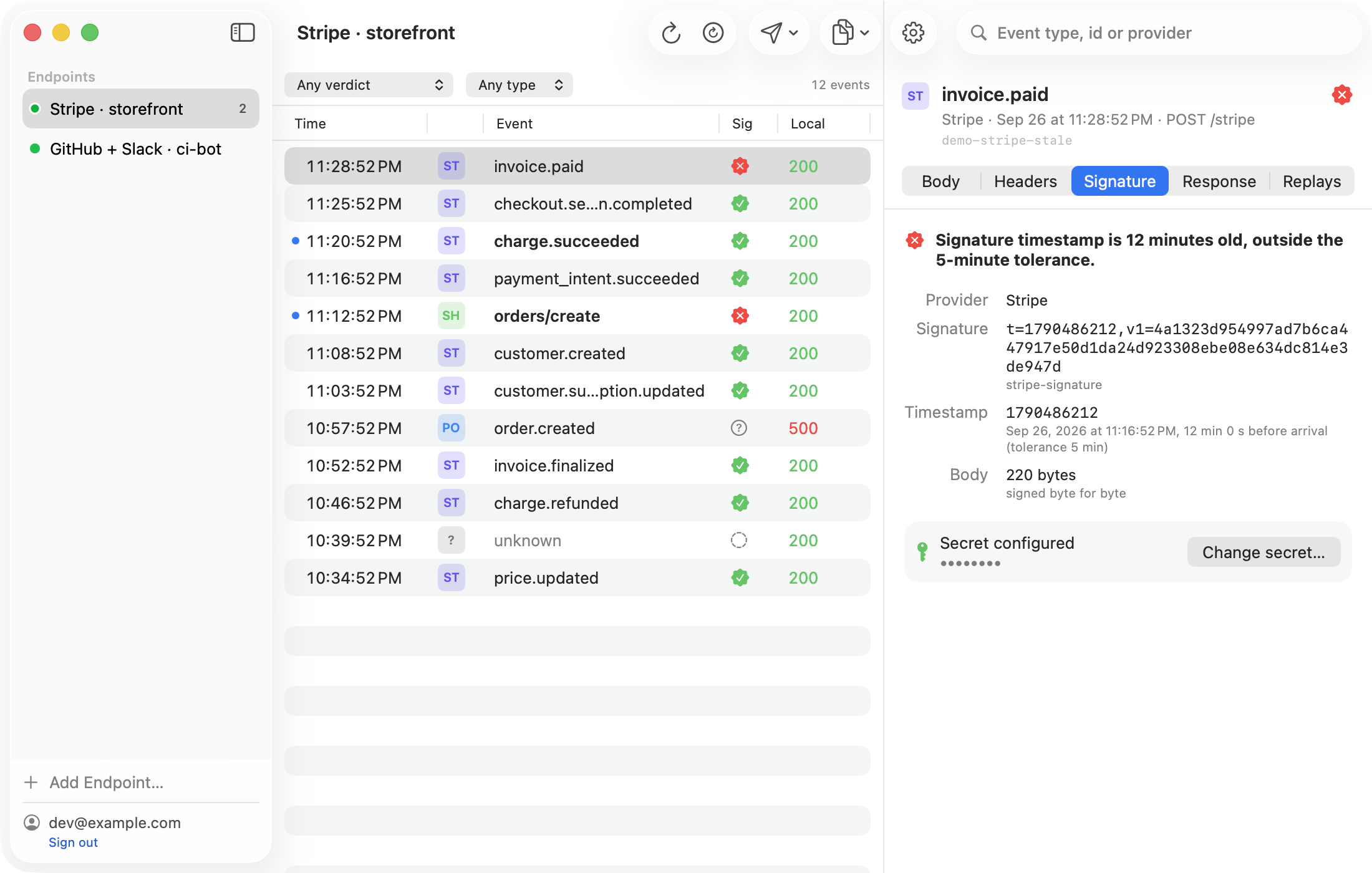
Stripe rejects a signature whose t= timestamp is more than 300 seconds (5 minutes) from the current time, to stop a captured request from being replayed indefinitely. This is by design: if you're testing by pasting an old payload back in, it will fail even with a correct secret. constructEvent takes an optional fourth argument to widen the tolerance for local testing, but the fix for a real replay is to re-sign it with a current timestamp — see the timestamp replay guide.
The easier way: WebhookMon
WebhookMon verifies every event as it arrives and states the verdict in a sentence — wrong secret, stale timestamp, or a malformed header — instead of a stack trace to decode. When it's the timestamp, its Replay button can re-sign with the current time in one click, because it holds your endpoint's secret.