WebhookMon
Webhook Debugging Guide
Validating Shopify webhook HMAC signatures
Short answer
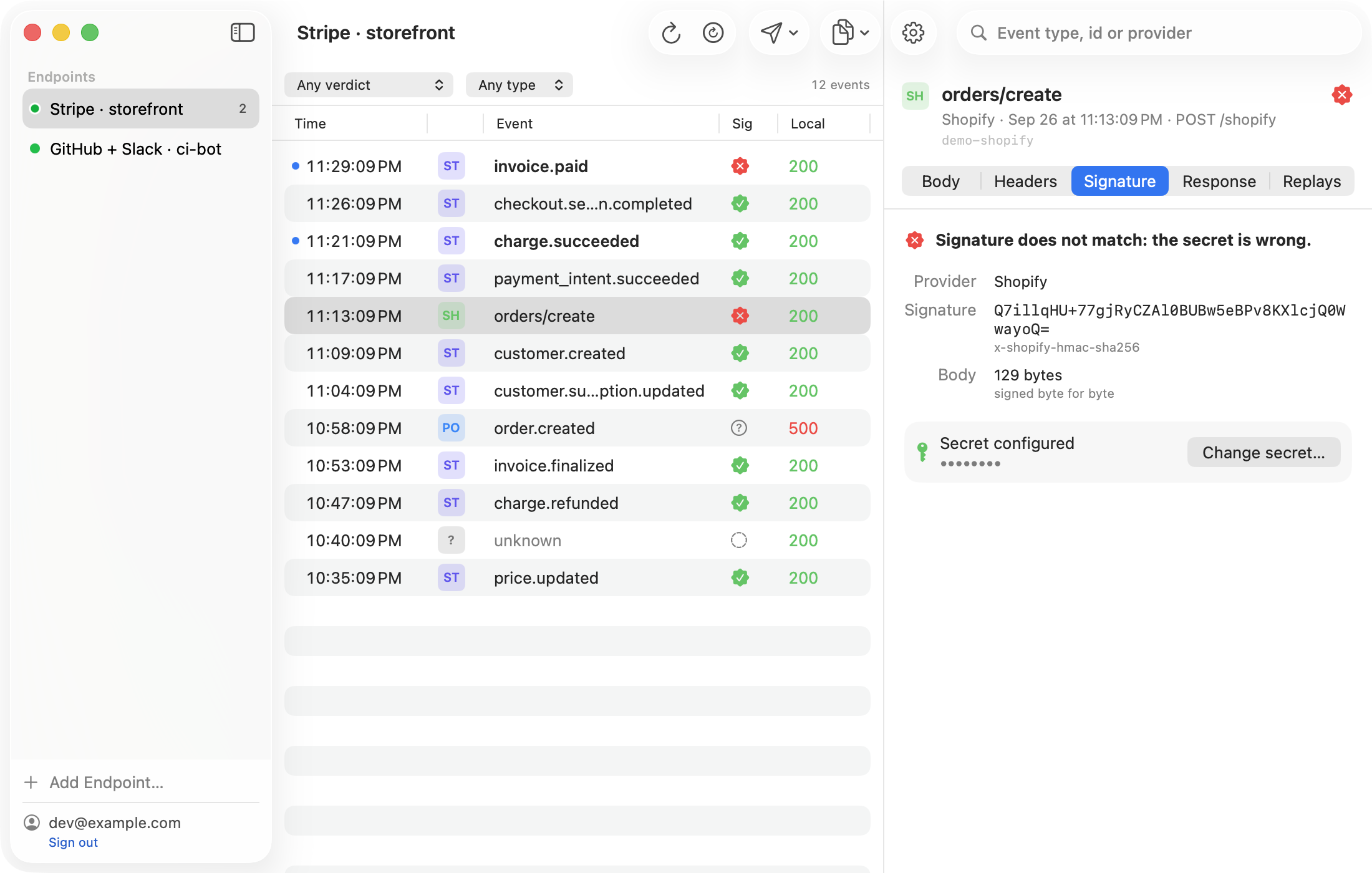
Shopify sends X-Shopify-Hmac-Sha256: a base64-encoded HMAC-SHA256 of the raw request body, keyed with your app's client secret — not the API key, and not a per-webhook secret like Stripe uses. Compute the same HMAC over the exact bytes you received, in a constant-time comparison, and compare.
Node.js
const crypto = require('crypto');

function verifyShopifyWebhook(rawBody, hmacHeader, clientSecret) {
  const digest = crypto
    .createHmac('sha256', clientSecret)
    .update(rawBody, 'utf8')
    .digest('base64');

  return crypto.timingSafeEqual(
    Buffer.from(digest),
    Buffer.from(hmacHeader)
  );
}
rawBody must be the unparsed body: mount express.raw({ type: 'application/json' }) on the webhook route before any JSON body parser touches it, the same issue as Stripe.
Python
import hashlib, hmac, base64

def verify_shopify_webhook(raw_body: bytes, hmac_header: str, secret: str) -> bool:
    digest = hmac.new(secret.encode(), raw_body, hashlib.sha256).digest()
    return hmac.compare_digest(base64.b64encode(digest).decode(), hmac_header)
Why it fails
A wrong secret is the usual cause — the client secret lives in your Partner Dashboard app settings, separate from the API key used for Admin API calls. The other common cause is a re-parsed body: any middleware that parses and re-serializes JSON before you verify changes the bytes and breaks the HMAC. Always compare digests with timingSafeEqual or compare_digest, never === or ==, so a failed check can't be timed to guess the secret byte by byte.
Shopify has no timestamp in the signed payload, so there's no tolerance window and no concept of a signature going stale — a captured payload verifies the same today as it did the day it arrived.
The easier way: WebhookMon
WebhookMon verifies Shopify's HMAC on arrival and shows the verdict next to every event, with the exact header and body it hashed if you need to check your own implementation against it. Forward events to your local server and replay any of them, byte for byte, whenever you need to.